UI Improvements
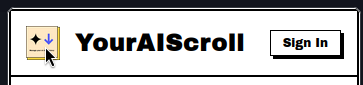
Screenshotting it changes my cursor before capturing. But the icon grows on hover and the cursor is of type “pointer” when hovering, not the one seen in the screenshot, yet clicking does not open the extension settings nor open your website.
1: I recommend choosing one of those two options.
2: The mouse is of type pointer on the entire extension UI, but should be of type “default” when clicking won’t result in any action invoked, or of type “text” when hovering text, etc. I reckon you must disable some cursor: “pointer” in some high layer of components and move down accordingly.
Log in to comment and vote
Comments1
Zhengyang Hou
Mar 15
Very good suggestion, thank you!